
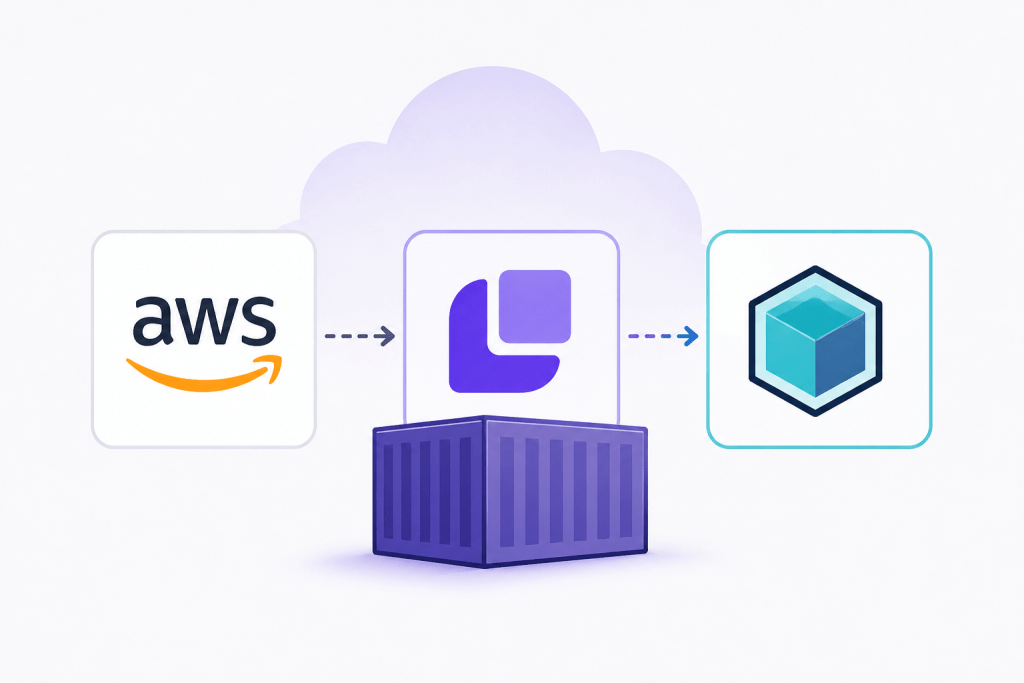

AWS Testing with LocalStack + Testcontainers for Fast, Reliable Cloud Mocks shows how modern Java teams can run fully isolated AWS integration tests without touching real cloud infrastructure. By combining LocalStack with Testcontainers, developers can simulate services like S3, Lambda, and DynamoDB directly in their CI pipelines, achieving fast feedback loops and deterministic test execution.
Why AWS Testing is Hard in Java Projects
Testing AWS-dependent systems traditionally suffers from:
- Dependency on real AWS accounts (cost + risk)
- Flaky integration tests due to network latency
- Hard-to-reproduce environments across CI/CD pipelines
- Complex setup for mocking multiple AWS services
This is where LocalStack + Testcontainers becomes a game changer.
What is LocalStack?
LocalStack is a fully functional AWS cloud stack emulator that runs locally and provides APIs compatible with AWS services.
Key Features:
- Emulates AWS APIs locally
- Supports S3, Lambda, SQS, DynamoDB, SNS, and more
- Works seamlessly with AWS SDKs
👉 Official docs: https://docs.localstack.cloud/
What is Testcontainers?
Testcontainers is a Java library that provides lightweight, disposable containers for integration testing.
Why it matters:
- Spins up Docker containers automatically
- Perfect for integration testing
- Works with JUnit 4 & JUnit 5
- Ensures isolated test environments
👉 Official site: https://testcontainers.com/
Why Combine LocalStack + Testcontainers?
Together they create a powerful testing architecture:
| Tool | Responsibility |
|---|---|
| LocalStack | AWS service emulation |
| Testcontainers | Container lifecycle management |
Benefits:
- No manual Docker setup
- Fully reproducible AWS environments
- CI-friendly execution
- Fast test cycles
Setting Up the Environment
Maven Dependencies
<dependencies> <!-- AWS SDK --> <dependency> <groupId>software.amazon.awssdk</groupId> <artifactId>s3</artifactId> <version>2.25.0</version> </dependency> <!-- Testcontainers --> <dependency> <groupId>org.testcontainers</groupId> <artifactId>testcontainers</artifactId> <version>1.20.0</version> <scope>test</scope> ' </dependency> <!-- JUnit 5 --> <dependency> <groupId>org.junit.jupiter</groupId> <artifactId>junit-jupiter</artifactId> <version>5.10.0</version> <scope>test</scope> </dependency></dependencies>
Running LocalStack with Testcontainers
Java Example: Start LocalStack Container
import org.testcontainers.containers.localstack.LocalStackContainer;import org.testcontainers.utility.DockerImageName;import org.junit.jupiter.api.*;import software.amazon.awssdk.services.s3.S3Client;import software.amazon.awssdk.regions.Region;import software.amazon.awssdk.auth.credentials.AwsBasicCredentials;import software.amazon.awssdk.auth.credentials.StaticCredentialsProvider;import software.amazon.awssdk.services.s3.model.*;@TestInstance(TestInstance.Lifecycle.PER_CLASS)public class S3LocalStackTest { static LocalStackContainer localstack = new LocalStackContainer(DockerImageName.parse("localstack/localstack:3.0")) .withServices(LocalStackContainer.Service.S3); S3Client s3; @BeforeAll void setup() { localstack.start(); s3 = S3Client.builder() .endpointOverride(localstack.getEndpointOverride(LocalStackContainer.Service.S3)) .credentialsProvider( StaticCredentialsProvider.create( AwsBasicCredentials.create("test", "test") ) ) .region(Region.US_EAST_1) .build(); } @AfterAll void tearDown() { localstack.stop(); }}
Example 1: Create and Verify S3 Bucket
@Testvoid shouldCreateS3Bucket() { String bucketName = "test-bucket"; s3.createBucket(CreateBucketRequest.builder() .bucket(bucketName) .build()); ListBucketsResponse response = s3.listBuckets(); boolean exists = response.buckets() .stream() .anyMatch(b -> b.name().equals(bucketName)); Assertions.assertTrue(exists);}
Example 2: Upload and Read Object from S3
import software.amazon.awssdk.core.sync.RequestBody;@Testvoid shouldUploadAndReadObject() { String bucket = "demo-bucket"; String key = "file.txt"; s3.createBucket(CreateBucketRequest.builder() .bucket(bucket) .build()); s3.putObject( PutObjectRequest.builder() .bucket(bucket) .key(key) .build(), RequestBody.fromString("Hello AWS LocalStack") ); String content = s3.getObjectAsBytes( GetObjectRequest.builder() .bucket(bucket) .key(key) .build() ).asUtf8String(); Assertions.assertEquals("Hello AWS LocalStack", content);}
Example 3: DynamoDB Test with LocalStack
import software.amazon.awssdk.services.dynamodb.DynamoDbClient;@Testvoid shouldCreateDynamoTable() { DynamoDbClient dynamo = DynamoDbClient.builder() .endpointOverride(localstack.getEndpointOverride(LocalStackContainer.Service.DYNAMODB)) .credentialsProvider( StaticCredentialsProvider.create( AwsBasicCredentials.create("test", "test") ) ) .region(Region.US_EAST_1) .build(); dynamo.createTable(CreateTableRequest.builder() .tableName("Users") .keySchema(KeySchemaElement.builder() .attributeName("id") .keyType(KeyType.HASH) .build()) .attributeDefinitions(AttributeDefinition.builder() .attributeName("id") .attributeType(ScalarAttributeType.S) .build()) .provisionedThroughput(ProvisionedThroughput.builder() .readCapacityUnits(1L) .writeCapacityUnits(1L) .build()) .build()); Assertions.assertTrue( dynamo.listTables().tableNames().contains("Users") );}
Best Practices for AWS Testing with LocalStack
- Use separate containers per test suite
- Always override AWS endpoint in SDK
- Keep credentials dummy (
test/test) - Prefer Testcontainers lifecycle hooks (
@BeforeAll,@AfterAll) - Avoid mixing real AWS calls in integration tests
CI/CD Integration
One of the biggest advantages of this setup is CI compatibility.
Popular CI systems like:
- GitHub Actions
- GitLab CI
- Jenkins
can run LocalStack + Testcontainers seamlessly because everything runs inside Docker.
Common Pitfalls
- Not exposing correct LocalStack service ports
- Forgetting endpointOverride in AWS SDK
- Reusing containers across tests (causes state leakage)
- Mixing unit tests and integration tests
Useful Links
- LocalStack Docs: https://docs.localstack.cloud/
- LocalStack GitHub: https://github.com/localstack/localstack
- Testcontainers: https://testcontainers.com/
- Testcontainers Java Module: https://java.testcontainers.org/
- AWS SDK for Java v2: https://docs.aws.amazon.com/sdk-for-java/latest/developer-guide/home.html
Related Resources
Testing AWS locally using Moto, Boto3 & Robot Framework
Conclusion
Combining LocalStack and Testcontainers creates a powerful and production-grade testing strategy for AWS-based Java applications. It eliminates cloud dependency, improves test speed, and ensures deterministic behavior across environments—making it one of the most effective approaches for modern cloud-native testing pipelines.
Discover more from Rotebit
Subscribe to get the latest posts sent to your email.


Pingback: Testing AWS locally using Moto, Boto3 & Robot Framework - Rotebit